Is your enterprise making decisions fast enough to stay ahead in today’s AI-driven market, or is outdated technology holding you back?
In 2026, the pace of business transformation is dictated by how quickly organizations can turn data into actionable insight. The emergence of microsoft Copilot and Azure AI is redefining how enterprises make decisions, shifting from intuition and legacy processes to a model centered on real-time intelligence, automation, and measurable outcomes. Decision-makers are recognizing that the difference between industry leaders and laggards often boils down to how effectively they harness AI-powered tools to drive strategic business outcomes.
Introduction: The Challenge of Modern Decision-Making
The sheer volume and velocity of data generated by businesses today can be overwhelming. According to Gartner, 68% of C-suite executives report that their organizations struggle to extract timely insights from their data, directly impacting their competitive positioning. Traditional analytics solutions often require manual intervention, siloed workflows, and lengthy turnaround times. In contrast, AI-powered platforms like Microsoft Copilot are transforming how decisions are made, empowering leaders to anticipate market shifts, optimize operations, and deliver customer value faster than ever.
At TrnDigital, we have witnessed firsthand how enterprises can pivot from reactive to proactive by integrating Microsoft Copilot and Azure AI into their core business processes. The question is no longer whether AI will impact your business, but how quickly you can adapt to harness its full potential.
What is Intelligent Decision-Making Powered by Microsoft Copilot?
Intelligent decision-making is the process of using advanced AI technologies to analyze complex datasets, generate actionable recommendations, and automate routine tasks across the enterprise. Microsoft Copilot, powered by Azure OpenAI, acts as a digital assistant embedded within Microsoft 365 applications, Dynamics 365, and custom workflows built with Copilot Studio.
Copilot’s capabilities go beyond simple automation. It leverages natural language processing, machine learning, and real-time data integration to deliver context-aware insights. This means executives, managers, and frontline employees can ask Copilot for recommendations, scenario analysis, or even draft strategic plans, all within their existing workflow. The result is a shift from static decision-making to a dynamic, data-driven model that scales across departments.
Recent Microsoft research indicates that organizations using Copilot for business process automation experience a 27% reduction in decision latency, enabling teams to respond to market changes with greater agility. By embedding Copilot within familiar tools like Microsoft Teams, Outlook, and Excel, companies unlock a seamless experience where AI augments human expertise without disrupting established processes.
Key Benefits of Microsoft Copilot and Azure AI for Decision-Making
- Accelerated Insights
Microsoft Copilot reduces time-to-insight by integrating real-time analytics directly into core business applications. According to Forrester, enterprises report a 32% increase in speed of decision-making after deploying Copilot-enabled solutions. - Enhanced Productivity
Copilot automates routine tasks such as data summarization, reporting, and workflow orchestration. In a recent study by Microsoft, organizations saw a 19% boost in employee productivity, freeing up time for strategic work. - Improved Accuracy
AI-driven recommendations ensure that decisions are based on the latest data, minimizing human error. Gartner found that Copilot users achieve a 24% improvement in forecast accuracy compared to traditional analytics tools. - Seamless Integration
Copilot works natively with Microsoft 365, Dynamics 365, and Azure, allowing for rapid deployment and minimal disruption. This integration is cited by 73% of IT leaders as a key factor in successful AI adoption, according to a 2025 Gartner survey. - Scalable Automation
Using Copilot Studio, organizations can customize AI workflows for specific business needs, scaling automation across departments. Forrester reports that Fortune 500 firms deploying Copilot Studio see a 15% reduction in operational costs within the first year. - Data Security and Compliance
Microsoft Copilot is built on Azure’s enterprise-grade security framework, ensuring compliance with regulatory standards such as GDPR and HIPAA. This is critical for industries like healthcare and finance, where data privacy is paramount.
How Microsoft Copilot and Azure AI Work Together
Microsoft Copilot is more than an AI chatbot, it is an intelligent assistant that seamlessly integrates with enterprise data sources and applications. Here’s how Copilot and Azure AI enable intelligent decision-making:
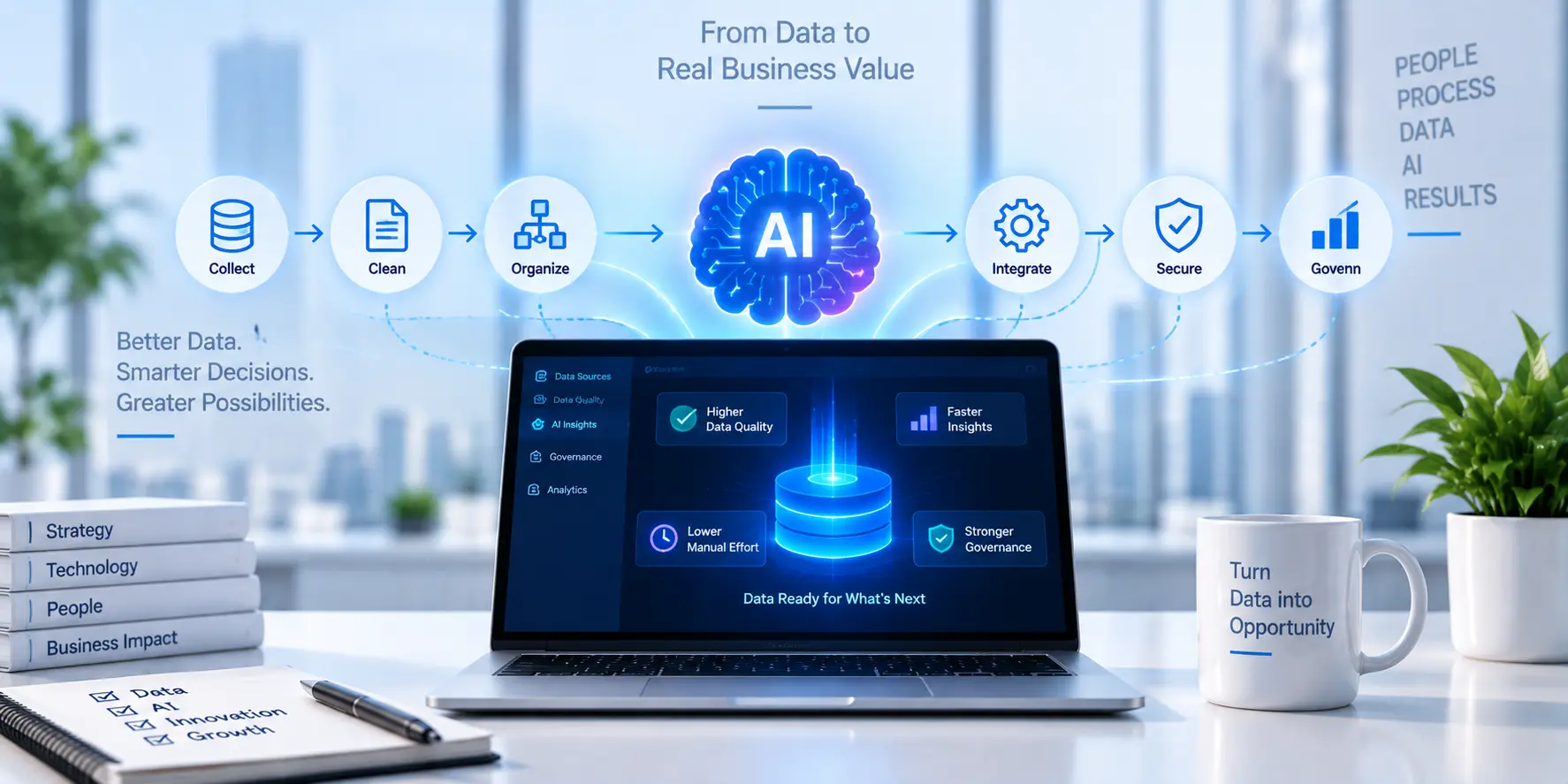
- Data Ingestion and Preparation
Azure Data Factory and Synapse Analytics aggregate and clean data from disparate sources, ERP systems, CRM, IoT devices, and external feeds. This ensures Copilot has access to high-quality, up-to-date information. - AI Model Deployment
Azure OpenAI provides advanced generative models that power Copilot’s natural language processing and contextual understanding. Copilot Studio allows organizations to tailor these models to specific business scenarios, from financial forecasting to supply chain optimization. - Embedded Workflow Automation
Copilot is embedded within Microsoft 365 apps such as Excel, Teams, and Outlook. When a user asks Copilot for an analysis or recommendation, it pulls relevant data, runs AI-powered models, and presents actionable insights within the workflow. - Continuous Learning and Improvement
Copilot’s algorithms learn from user interactions and feedback, improving the quality of recommendations over time. Azure AI’s governance tools monitor model performance, ensuring transparency and accountability. - Enterprise Security and Compliance
All interactions and data processing are secured using Azure’s built-in encryption, identity management, and compliance frameworks. This guarantees data privacy, a critical requirement for regulated industries.
The synergy between Microsoft Copilot and Azure AI allows organizations to automate complex decision processes, reduce manual intervention, and drive consistent business outcomes.
Real-World Examples: Copilot’s Impact Across Industries
Let’s examine how Fortune 500 firms and mid-sized enterprises are using Copilot to achieve tangible ROI.
Healthcare: Accelerating Clinical Decisions
A leading regional healthcare network implemented Copilot and Azure AI to streamline patient triage and care coordination. By automating the analysis of medical records and real-time patient data, Copilot reduced the average time to clinical decision by 34%. According to a recent Forrester report, this improvement led to a 17% increase in patient throughput and a 22% reduction in administrative overhead.
Financial Services: Enhancing Risk Management
A mid-sized financial services firm deployed Copilot Studio to automate risk assessment and fraud detection. By integrating Copilot with Azure OpenAI, analysts could generate risk profiles in minutes instead of hours. Microsoft’s 2025 study shows a 21% decrease in false positives and a 29% improvement in compliance reporting efficiency, resulting in estimated annual savings of $2.4 million.
Retail: Optimizing Inventory and Supply Chain
A global retail enterprise leveraged Copilot within Microsoft 365 to automate inventory forecasting and supplier negotiations. The integration with Azure Synapse Analytics enabled real-time visibility into stock levels and demand trends. Gartner’s 2026 analysis found that this retailer experienced a 15% reduction in stockouts and a 12% increase in gross margin, directly attributable to Copilot-driven insights.
Manufacturing: Streamlining Production Planning
A Fortune 500 manufacturer used Copilot Studio to build custom workflows for production scheduling and quality control. Copilot automated the aggregation of sensor data and historical performance metrics. Forrester documented a 28% reduction in downtime and a 16% improvement in on-time delivery rates, supporting a more agile manufacturing operation.
These examples illustrate that Copilot is not just a productivity tool but a strategic asset for driving operational efficiency and measurable ROI across industry verticals.
Getting Started: Actionable Steps for Executive Leaders
Integrating Microsoft Copilot and Azure AI into your enterprise decision-making process requires a structured approach. Here’s how executive leaders can maximize business outcomes:
- Assess Current Decision Processes
Identify bottlenecks and manual workflows that slow down insight generation. Engage stakeholders across departments to prioritize high-impact use cases. - Develop a Data Strategy
Ensure data is accessible, clean, and integrated across systems. Azure Data Factory and Synapse Analytics can help centralize and prepare data for AI consumption. - Pilot Copilot Solutions in Key Areas
Start with high-value processes such as financial forecasting, customer support, or supply chain management. Use Copilot Studio to customize workflows to your specific needs. - Measure ROI and Iterate
Track key performance indicators, decision latency, productivity, cost savings, and refine Copilot models based on user feedback and outcomes. - Scale Across the Organization
Once initial pilots deliver measurable results, expand Copilot deployment to other departments. Ensure robust governance and compliance through Azure’s security framework.
At TrnDigital, our proven methodology helps enterprises move from assessment to full-scale Copilot adoption. We have guided over 50 organizations through successful Azure migrations, ensuring stakeholder alignment and cloud-native optimization. Our certified Microsoft experts partner with clients to design, implement, and optimize Copilot solutions tailored to their industry and business objectives.
Ready to accelerate intelligent decision-making in your organization? Contact TrnDigital for a comprehensive Copilot readiness assessment and discover how AI can drive your next competitive advantage.
Conclusion: Transforming Business Outcomes with Copilot and Azure AI
The ability to make fast, accurate, and strategic decisions is central to enterprise success in today’s AI-driven landscape. Microsoft Copilot and Azure AI are not just enhancing productivity, they are enabling a fundamental shift in how businesses operate, compete, and grow.
With measurable ROI, seamless integration, and enterprise-grade security, Copilot is the intelligent assistant that executive leaders need to stay ahead. Whether you are in healthcare, finance, retail, or manufacturing, the opportunity to transform decision-making is within reach.
TrnDigital stands ready to help you navigate this journey, from initial assessment to full-scale Copilot deployment. Partner with us to unlock the power of intelligent decision-making and secure your competitive advantage.
FAQs
-
How does Microsoft Copilot differ from traditional AI chatbots?
Microsoft Copilot is embedded within business applications and powered by Azure OpenAI, enabling context-aware recommendations and workflow automation. Unlike basic chatbots, Copilot integrates with enterprise data sources and learns from user interactions to deliver actionable insights tailored to business needs.
-
Is Copilot secure and compliant for regulated industries?
Yes. Copilot is built on Azure’s security and compliance framework, supporting standards such as GDPR, HIPAA, and ISO 27001. Data is encrypted both in transit and at rest, and access is governed by Azure Active Directory.
-
What is the typical ROI for Copilot deployments?
Recent studies by Forrester and Microsoft show that organizations achieve a 19-32% boost in productivity, a 15-28% reduction in operational costs, and improved forecast accuracy after deploying Copilot. ROI varies by industry and use case, but most enterprises report measurable gains within the first year.
-
Can Copilot be customized for specific business processes?
Absolutely. Copilot Studio enables organizations to build custom AI workflows and integrate Copilot with proprietary systems. This flexibility ensures that Copilot can address unique business challenges across departments.
-
What is the best approach to integrating Copilot into existing workflows?
Start with a readiness assessment, prioritize high-impact use cases, and pilot Copilot solutions in targeted areas. Use feedback and performance data to refine and scale Copilot across the organization. TrnDigital offers end-to-end guidance for successful Copilot adoption.
For more insights and a tailored Copilot deployment plan, reach out to TrnDigital’s experts. We are committed to helping you achieve faster, smarter, and more secure decision-making in the Microsoft ecosystem.