
What Is Microsoft Teams Rooms Pro License?
The Microsoft Teams Rooms Pro License is an advanced licensing solution designed to power intelligent and collaborative meeting rooms. It enables organizations to transform conference spaces into fully connected hybrid meeting environments using Microsoft Teams Rooms devices.
As hybrid work continues to grow, businesses need meeting rooms that deliver seamless communication between in-office and remote employees. The Microsoft Teams Rooms Pro License provides the management, security, and AI-powered features required to support these modern workplace needs.
Whether you are deploying a single conference room or managing hundreds of meeting spaces, Microsoft Teams Rooms Pro helps simplify administration while improving the meeting experience.
Why Businesses Choose Microsoft Teams Rooms Pro License
Organizations invest in a Microsoft Teams Rooms Pro License because it offers more than basic meeting functionality. It includes advanced room management capabilities, enhanced security, and intelligent meeting features that improve productivity.
Key benefits include:
- Centralized device management
- Advanced meeting analytics
- Remote device monitoring
- AI-powered meeting experiences
- Enhanced security and compliance controls
- Automatic software updates
- Scalable room deployment
These capabilities make it easier for IT teams to manage meeting spaces while ensuring employees have a consistent collaboration experience.
Features Included in Microsoft Teams Rooms Pro License
Intelligent Meeting Experiences
One of the biggest advantages of the Microsoft Teams Rooms Pro License is access to intelligent meeting features.
These capabilities help participants stay engaged regardless of where they join from.
Features may include:
- Intelligent speaker recognition
- Front row layouts
- Live captions
- Meeting transcripts
- AI-enhanced audio and video experiences
- Content sharing optimization
These tools help create a more inclusive and productive meeting environment.
Advanced Device Management
Managing meeting room hardware can become challenging as organizations grow.
The Microsoft Teams Rooms Pro License provides centralized management capabilities that allow administrators to:
- Monitor room health
- Troubleshoot issues remotely
- Manage device settings
- Track room performance
- Receive proactive alerts
This reduces downtime and improves operational efficiency.
Enhanced Security and Compliance
Security remains a top priority for organizations using collaboration platforms.
Microsoft Teams Rooms Pro includes enterprise-grade security features that help protect meeting data and devices.
Benefits include:
- Secure device management
- Compliance controls
- Access management policies
- Enterprise-level security standards
This ensures meeting rooms remain protected across the organization.
Microsoft regularly updates Teams Rooms with intelligent meeting capabilities designed to improve engagement and collaboration.
Microsoft Teams Rooms Pro License vs Basic License
Many organizations compare Microsoft Teams Rooms Pro License with the basic licensing option before making a decision.
Microsoft Teams Rooms Basic
Suitable for organizations with limited meeting room requirements.
Key characteristics:
- Core meeting room functionality
- Standard Teams meeting capabilities
- Limited room management features
Microsoft Teams Rooms Pro
Designed for businesses that need advanced room management and enterprise-scale deployment.
Advantages include:
- Advanced device monitoring
- Enhanced reporting
- AI-powered meeting features
- Scalable room management
- Enterprise-level administration tools
For growing organizations, the Pro license often delivers greater long-term value through improved management and productivity features.
How to Set Up Microsoft Teams Rooms Pro License?
Setting up a Microsoft Teams Rooms Pro License involves several important steps.
Step 1: Prepare Your Meeting Room Hardware
Start by selecting certified Microsoft Teams Rooms devices.
These may include:
- Conference cameras
- Touch controllers
- Microphones
- Speakers
- Room displays
Using certified hardware ensures optimal performance and compatibility.
Step 2: Create Resource Accounts
Each meeting room requires a dedicated resource account.
This account allows users to schedule meetings and reserve conference rooms directly through Microsoft Teams and Outlook.
Step 3: Assign Microsoft Teams Rooms Pro License
Once the resource account is created, assign the Microsoft Teams Rooms Pro License through the Microsoft 365 admin center.
This activates the advanced features and management capabilities associated with the license.
Step 4: Configure Room Devices
Sign in to the room system using the resource account credentials.
Configure:
- Audio settings
- Video settings
- Network connectivity
- Meeting preferences
Testing all components before deployment is recommended.
Step 5: Enable Device Management
Connect the room devices to the Teams Rooms management portal.
This allows administrators to monitor room status, manage updates, and troubleshoot issues remotely.
Organizations should select certified Microsoft Teams Rooms devices to ensure compatibility and optimal performance.
Best Practices for Microsoft Teams Rooms Deployment
To maximize the value of your Microsoft Teams Rooms Pro License, follow these best practices:
Standardize Room Equipment
Using consistent hardware across locations simplifies management and support.
Optimize Network Performance
Stable internet connectivity is essential for high-quality audio and video experiences.
Monitor Room Health Regularly
Leverage built-in analytics and reporting tools to identify issues before they impact users.
Keep Devices Updated
Regular software updates improve security, reliability, and feature availability.
Train End Users
Providing basic training helps employees use room systems efficiently and reduces support requests.
Microsoft Teams Rooms Pro License Pricing Considerations
When evaluating Microsoft Teams Rooms Pro License pricing, organizations should consider more than just licensing.
Factors that influence overall investment include:
- Number of meeting rooms
- Hardware requirements
- Deployment complexity
- Ongoing management needs
- Support and maintenance requirements
Since licensing programs and offerings can change over time, businesses should review the latest Microsoft licensing information before making purchasing decisions.
Common Use Cases for Microsoft Teams Rooms Pro License
Corporate Conference Rooms
Large organizations use Teams Rooms Pro to manage multiple conference spaces from a centralized platform.
Executive Boardrooms
Advanced meeting features help improve executive collaboration and decision-making.
Hybrid Work Environments
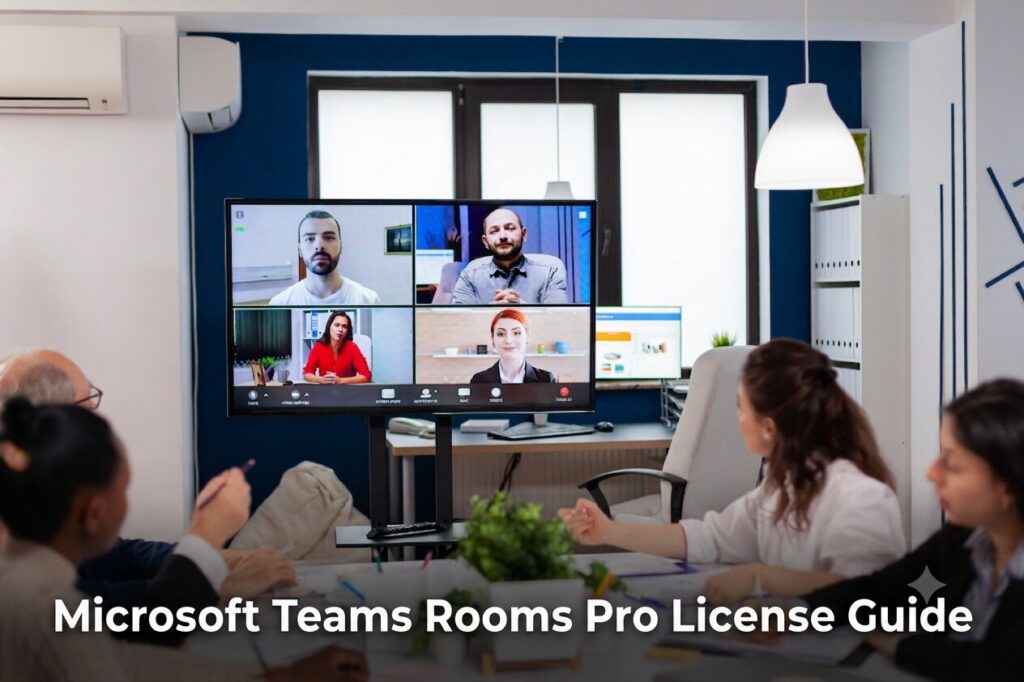
Teams Rooms Pro enables seamless communication between remote and in-office employees.
Training and Collaboration Spaces
Organizations can create interactive meeting environments that support learning and teamwork.
Why Choose TrnDigital for Microsoft License Management?
As a trusted Microsoft License Management Service Provider, TrnDigital helps businesses simplify Microsoft licensing, optimize subscription costs, and ensure compliance. Our team supports organizations with Microsoft Teams Rooms Pro licenses, Microsoft 365 subscriptions, and other Microsoft licensing requirements.
License Selection and Planning
TrnDigital helps you choose the right Microsoft licenses based on your business needs, users, and collaboration goals.
License Management and Compliance
Our experts assist with license assignment, renewals, and compliance management to help you maintain an efficient licensing environment.
Deployment and Configuration Support
From Microsoft Teams Rooms Pro license activation to deployment planning, TrnDigital helps ensure a smooth implementation process.
Ongoing Licensing Optimization
Regular licensing reviews help identify cost-saving opportunities and ensure you maximize the value of your Microsoft investment.
Frequently Asked Questions
What is Microsoft Teams Rooms Pro License used for?
The Microsoft Teams Rooms Pro License is used to enable advanced meeting room management, security, monitoring, and AI-powered collaboration features for Microsoft Teams Rooms devices.
Is Microsoft Teams Rooms Pro License required for every meeting room?
Each Teams Room resource account typically requires its own license to access Pro-level functionality.
What devices work with Microsoft Teams Rooms Pro?
Certified Microsoft Teams Rooms hardware from approved manufacturers is supported.
Can Microsoft Teams Rooms Pro be managed remotely?
Yes. One of the primary benefits of the Microsoft Teams Rooms Pro License is centralized remote management and monitoring.
Is Microsoft Teams Rooms Pro suitable for small businesses?
Yes. Small businesses can benefit from advanced room management features, especially if they operate multiple meeting spaces or support hybrid work environments.
Conclusion
The Microsoft Teams Rooms Pro License helps organizations create intelligent, secure, and easy-to-manage meeting spaces. From advanced device management and analytics to AI-powered meeting experiences, it provides the tools needed to support today’s hybrid workforce.
Whether you are deploying your first Teams Room or expanding across multiple office locations, choosing the right licensing strategy can improve collaboration, simplify administration, and enhance meeting productivity.
For organizations looking to implement, optimize, or manage Microsoft Teams Rooms solutions, TrnDigital can help deliver a seamless Microsoft collaboration experience tailored to your business needs.



