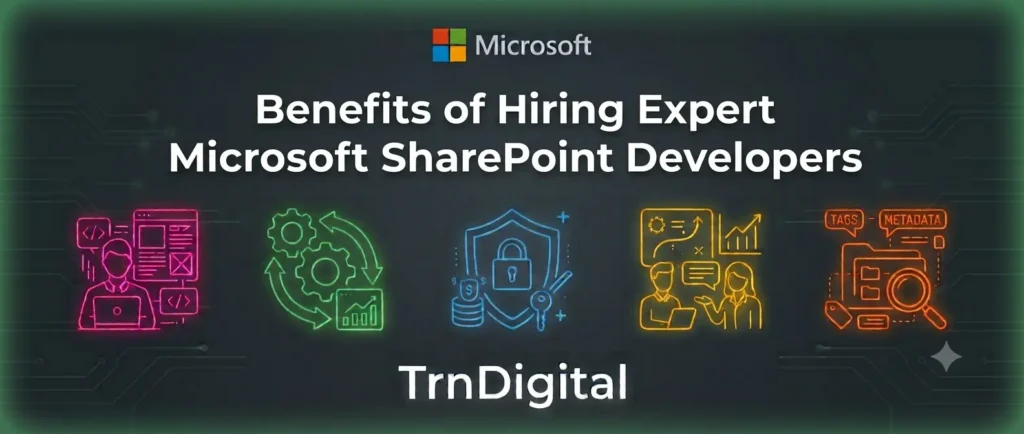
The benefits of hiring expert Microsoft SharePoint developers include faster implementation, secure customization, and seamless Microsoft 365 integration. Experienced SharePoint developers help organizations build scalable intranets, automate workflows, streamline document management, and create solutions tailored to their unique business needs.
Whether you’re implementing SharePoint for the first time, migrating from a legacy platform, or developing custom business applications, the right expertise ensures a secure, efficient, and future-ready solution.
In this guide, you’ll discover the top benefits, key skills to look for, common use cases, and how professional SharePoint development services can help your business maximize its SharePoint investment.
Why Businesses Need Expert Microsoft SharePoint Developers
Microsoft SharePoint has evolved from a document management platform into a complete collaboration and business application platform.
An experienced SharePoint expert understands both business processes and Microsoft’s ecosystem, allowing organizations to build solutions that improve productivity while reducing manual work.
Professional SharePoint developers help organizations:
- Build modern intranet portals
- Automate workflows
- Manage enterprise documents
- Improve collaboration
- Integrate Microsoft Teams and Power Platform
- Develop custom SharePoint applications
- Ensure governance and security
- Migrate legacy systems
Instead of simply creating SharePoint sites, they build solutions aligned with business goals.
What Do Expert Microsoft SharePoint Developers Do?
An experienced SharePoint developer works across multiple areas of the Microsoft ecosystem.
Their responsibilities include:
- SharePoint Online development
- SharePoint Framework (SPFx) development
- SharePoint app development
- SharePoint application development
- Custom web parts
- Power Automate integration
- Microsoft Teams integration
- Document management solutions
- Permission and security configuration
- Business process automation
- SharePoint migrations
- API integration
- Custom dashboards
- Search optimization
They also work closely with business stakeholders to understand operational requirements before developing solutions.
Top 10 Benefits of Hiring Expert Microsoft SharePoint Developers
1. Build Custom Business Solutions
Every business has unique workflows.
Experienced developers provide SharePoint custom development that fits your exact business needs rather than forcing employees to adapt to standard templates.
Examples include:
- HR onboarding portals
- Vendor management systems
- Project management dashboards
- Employee self-service portals
- Compliance tracking systems
2. Faster Project Delivery
Experienced developers understand:
- SharePoint architecture
- Microsoft best practices
- Reusable components
- Governance models
This significantly reduces development time while avoiding common implementation mistakes.
3. Better Integration Across Microsoft 365
One major advantage of hiring experienced developers is seamless integration.
They connect SharePoint with:
- Microsoft Teams
- Outlook
- Power Apps
- Power Automate
- Power BI
- Microsoft Forms
- Azure Active Directory
- Microsoft Copilot
This creates one connected digital workplace.
4. Improved Business Process Automation
Manual approvals consume valuable employee time.
Expert developers automate processes such as:
- Leave approvals
- Purchase requests
- Invoice approvals
- Employee onboarding
- Contract approvals
- Compliance workflows
Automation improves efficiency while reducing human errors.
5. Stronger Security and Compliance
Security is one of SharePoint’s biggest strengths when configured correctly.
A SharePoint specialist helps implement:
- Role-based permissions
- Information protection
- Version control
- Audit trails
- Multi-factor authentication
- Retention policies
- Compliance controls
6. Better User Experience
Employees only adopt systems that are easy to use.
Professional developers build:
- Responsive layouts
- Modern SharePoint pages
- Mobile-friendly portals
- Custom navigation
- Personalized dashboards
- Interactive web parts
This improves user adoption across departments.
7. Scalable Architecture
As organizations grow, SharePoint solutions must grow too.
Expert developers design solutions that support:
- Thousands of users
- Large document libraries
- Multiple business units
- Global teams
- Enterprise governance
8. Lower Long-Term Costs
Poor SharePoint implementations often require expensive rebuilding later.
Hiring experienced professionals from the beginning reduces:
- Rework
- Downtime
- Maintenance costs
- Security issues
- Performance bottlenecks
9. Ongoing Support and Optimization
SharePoint continuously evolves.
Professional SharePoint development services include:
- Performance monitoring
- Feature enhancements
- Security updates
- User training
- Microsoft 365 updates
- Governance improvements
10. Future-Proof Solutions
Microsoft regularly introduces new capabilities.
Expert developers help organizations leverage:
- Microsoft Copilot
- AI-powered search
- Viva Connections
- Power Platform
- Microsoft Graph
- Modern SharePoint Framework
This ensures long-term value.
Microsoft SharePoint Development Services vs In-House Development
| Feature | SharePoint Development Services | In-House Team |
| Implementation Speed | Fast | Moderate |
| Microsoft Expertise | High | Depends on hiring |
| Cost | Flexible | Higher fixed costs |
| Latest Technologies | Always updated | Training required |
| Scalability | Easy | Limited |
| Support | Ongoing | Internal resources |
| Risk | Lower | Higher |
6 Types of SharePoint Development Services
Professional providers typically offer:
1. SharePoint Consulting
A SharePoint expert consultant evaluates business requirements and recommends the right architecture.
2. SharePoint Custom Development
Tailor-made business applications designed specifically for organizational processes.
3. SharePoint App Development
Build custom applications inside SharePoint for internal business operations.
4. SharePoint Application Development Services
Develop enterprise-grade applications integrated with Microsoft 365.
5. SharePoint Migration
Move from:
- File servers
- Google Drive
- Dropbox
- SharePoint On-Premises
- Legacy ECM systems
6. SharePoint Support
Maintenance, troubleshooting, upgrades, and continuous optimization.
Common Business Use Cases
Organizations use SharePoint for:
| Business Function | SharePoint Solution |
| Human Resources | Employee onboarding portal |
| Finance | Invoice approval workflows |
| Sales | Document repository |
| Operations | SOP management |
| Legal | Contract lifecycle management |
| IT | Knowledge base |
| Manufacturing | Quality documentation |
| Healthcare | Secure document management |
| Education | Faculty collaboration portal |
| Government | Policy management |
Industries That Benefit Most
Many industries rely on SharePoint development companies for secure collaboration.
These include:
- Healthcare
- Financial Services
- Manufacturing
- Government
- Retail
- Education
- Professional Services
- Construction
- Logistics
- Technology
What Skills Should an Expert SharePoint Developer Have?
Look for experience in:
- SharePoint Online
- SharePoint Server
- SharePoint Framework (SPFx)
- React
- TypeScript
- Power Platform
- Power Automate
- Microsoft Graph API
- Azure
- REST APIs
- PowerShell
- Microsoft Teams
- Microsoft 365 Administration
Business knowledge is equally important.
Signs You Need a SharePoint Specialist
You may need professional help if:
- Your SharePoint portal is slow.
- Employees avoid using SharePoint.
- Workflows remain manual.
- Security permissions are confusing.
- You need Microsoft Teams integration.
- You require custom applications.
- Document management is disorganized.
- Search results are poor.
How to Choose the Right SharePoint Development Company
Choosing the right SharePoint development company is essential for a successful implementation. Evaluate their Microsoft expertise, industry experience, custom development capabilities, security practices, and post-deployment support. The right partner should deliver scalable, secure, and customized SharePoint solutions that align with your business goals.
Key Criteria for Selection
Microsoft Certifications & Expertise:
Choose a company with Microsoft-certified SharePoint experts who have experience in SharePoint Online, Microsoft 365, Power Platform, and Azure.
Industry Experience & Proven Results:
Review case studies, client testimonials, and past projects to ensure they have successfully delivered solutions for businesses similar to yours.
Custom Development Capabilities:
Look for expertise in SharePoint custom development, modern intranet portals, workflow automation, and custom business applications instead of template-based solutions.
Microsoft 365 Integration Expertise:
Ensure the company can integrate SharePoint with Microsoft Teams, Power Automate, Power Apps, Power BI, Copilot, and other business applications.
Security & Governance:
A reliable SharePoint partner should implement role-based access, governance policies, compliance controls, and secure architecture from the start.
Post-Deployment Support & Training:
Choose a provider that offers ongoing maintenance, performance optimization, user training, and technical support to maximize your SharePoint investment.
Comparison: Expert SharePoint Developer vs General Web Developer
| Capability | Expert SharePoint Developer | General Web Developer |
| SharePoint Architecture | Yes | Limited |
| Microsoft 365 Integration | Yes | Limited |
| SPFx Development | Yes | Rare |
| Power Platform Knowledge | Yes | Usually No |
| SharePoint Governance | Yes | No |
| Security Configuration | Advanced | Basic |
| Workflow Automation | Extensive | Limited |
| Enterprise Experience | High | Varies |
Typical SharePoint Development Process
- Business requirement analysis
- Solution architecture
- UX planning
- SharePoint environment setup
- Custom development
- Integration
- Testing
- User acceptance testing
- Deployment
- Support and optimization
Common Challenges Without Expert Developers
Organizations often experience:
- Poor governance
- Low user adoption
- Slow performance
- Security issues
- Duplicate documents
- Failed migrations
- Limited automation
- Difficult maintenance
Hiring experienced professionals minimizes these risks.
Cost Factors for SharePoint Development Services
Pricing depends on:
- Project complexity
- Number of users
- Custom features
- Integrations
- Migration requirements
- Workflow automation
- Security requirements
- Support plans
Although custom development requires investment, the long-term return typically comes from improved productivity and reduced operational costs.
Future Trends in SharePoint Development
Businesses are increasingly adopting:
- AI-powered document search
- Microsoft Copilot integration
- Intelligent automation
- Low-code applications
- Knowledge management
- Employee experience platforms
- Cloud-first collaboration
- Advanced governance automation
Organizations working with experienced SharePoint experts are better positioned to adopt these innovations.
Why Choose TrnDigital for SharePoint Development Services in the USA?
At TrnDigital, we help businesses unlock the full potential of Microsoft SharePoint with secure, scalable, and customized solutions. Our team of expert Microsoft SharePoint developers works closely with you to understand your business goals and build SharePoint solutions that improve collaboration, simplify document management, and automate everyday processes.
Our comprehensive SharePoint development services include SharePoint custom development, SharePoint app development, SharePoint application development services, SharePoint Online migration, Microsoft 365 integration, workflow automation, and modern intranet development. Every solution is designed to fit your unique business needs rather than relying on one-size-fits-all templates.
Whether you’re looking for a SharePoint expert, SharePoint specialist, or an experienced SharePoint expert consultant, TrnDigital provides end-to-end support—from strategy and implementation to optimization and ongoing maintenance. We help organizations build future-ready SharePoint solutions that increase productivity, enhance employee experiences, and accelerate digital transformation.
Frequently Asked Questions
What does an expert Microsoft SharePoint developer do?
An expert SharePoint developer designs, develops, customizes, integrates, and maintains SharePoint solutions for collaboration, document management, workflow automation, and business applications.
Why should I hire a SharePoint expert instead of a general developer?
A SharePoint expert understands Microsoft’s architecture, governance, security, SharePoint Framework (SPFx), Power Platform, and Microsoft 365 integrations, resulting in more reliable and scalable solutions.
What are SharePoint development services?
SharePoint development services include consulting, custom development, SharePoint app development, migration, workflow automation, integration, modernization, support, and maintenance.
What is SharePoint custom development?
SharePoint custom development involves building tailored portals, workflows, web parts, dashboards, and applications that meet unique business requirements.
What industries use SharePoint the most?
Healthcare, finance, education, government, manufacturing, retail, construction, logistics, and professional services commonly use SharePoint.
Can SharePoint integrate with Microsoft Teams?
Yes. SharePoint integrates seamlessly with Microsoft Teams, Power Automate, Power Apps, Outlook, Power BI, Microsoft Forms, and other Microsoft 365 services.
How long does a SharePoint development project take?
Small projects may take a few weeks, while enterprise SharePoint implementations with custom development and integrations can take several months depending on scope.
Is SharePoint suitable for custom business applications?
Yes. SharePoint supports custom business applications, workflow automation, document management, approval systems, dashboards, and employee portals.
Conclusion
Hiring expert Microsoft SharePoint developers is a smart investment for businesses looking to improve collaboration, automate workflows, and build secure, scalable digital workplaces. Their expertise in SharePoint development services, custom solutions, and Microsoft 365 integration helps organizations maximize the value of their technology investment while reducing implementation risks.
Whether you need SharePoint app development, SharePoint custom development, or enterprise-grade SharePoint application development services, partnering with experienced professionals ensures your solution is tailored to your business goals. The right SharePoint experts can streamline operations, enhance employee productivity, and support long-term digital transformation.