Power Apps development services help SMBs and enterprises build custom business apps, automate workflows, and connect data with less development effort. From CRM and inventory management to employee portals and approval workflows, Power Apps enables businesses to digitize processes quickly and efficiently.
Choosing the right development partner is essential for ensuring scalability, security, seamless integrations, and long-term value. This TrnDigital guide covers the key services, benefits, use cases, costs, and factors to consider when selecting a Power Apps development company.
What Are Power Apps Development Services?
Power Apps development services are professional services for designing, building, integrating, deploying, and maintaining custom business applications using Microsoft Power Apps.
Power Apps supports canvas apps and model-driven apps and can connect to Microsoft Dataverse, SharePoint, Microsoft 365, Dynamics 365, SQL Server, and other data sources through connectors. Microsoft also supports custom connectors for systems that are not covered by prebuilt integrations.
A complete Power Apps development engagement can include:
- Business process analysis
- Power Apps consulting
- Canvas app development
- Model-driven app development
- Microsoft Dataverse development
- Power Automate workflow automation
- Power BI integration
- Dynamics 365 integration
- SharePoint integration
- SQL and API integration
- Custom connector development
- Power Pages development
- AI and Copilot capabilities
- Application modernization
- Data migration
- Testing and quality assurance
- Deployment and environment management
- Security and governance
- Application maintenance and support
The best approach depends on the organization’s processes, existing Microsoft ecosystem, user base, data architecture, and future roadmap.
Why Businesses Choose Power Apps Development
Traditional application development can require separate teams for front-end development, back-end development, databases, infrastructure, integrations, and ongoing maintenance.
Power Apps provides a low-code development environment that can reduce the amount of custom code required while still allowing professional developers to extend applications when necessary.
Microsoft describes Power Apps as a platform for building custom business apps that can connect to both cloud and on-premises data sources. Apps can run through browsers and mobile devices.
Key Benefits of Power Apps Development Service
- Faster application development
- Lower development complexity
- Easier integration with Microsoft technologies
- Mobile and browser accessibility
- Reusable business components
- Workflow automation
- Centralized data through Dataverse
- Better visibility into business processes
- Easier application modernization
- AI-assisted development and user experiences
- Reduced dependence on spreadsheets and manual processes
For organizations already using Microsoft 365, Dynamics 365, Azure, Teams, SharePoint, or Power BI, Power Apps can be particularly attractive because it fits into the broader Microsoft Power Platform ecosystem.
Power Apps Development Services: What Does a Provider Offer?
Not every Power Apps development company provides the same level of service. A strong partner should be able to support the entire application lifecycle rather than simply create screens.
1. Power Apps Consulting
Consulting is usually the first stage of a successful Power Apps project.
A consultant evaluates:
- Current business processes
- Existing applications
- Manual workflows
- Data sources
- Integration requirements
- User roles
- Security requirements
- Licensing requirements
- Reporting needs
- Scalability requirements
The goal is to determine whether Power Apps is the right platform and, if so, what architecture should be used.
2. Custom Power Apps Development
A development partner can create applications around specific business requirements instead of forcing teams to adapt their processes to generic software.
Common custom applications include:
- Employee management apps
- Sales applications
- Customer service tools
- Inventory management apps
- Purchase request systems
- Expense management apps
- Asset tracking systems
- Field-service applications
- Inspection applications
- Approval portals
- Project management tools
3. Canvas App Development
Canvas apps provide greater control over the user interface and are useful when businesses need a customized experience.
They are often suitable for:
- Mobile workforce applications
- Data-entry applications
- Inspection forms
- Field-service applications
- Employee portals
- Custom operational dashboards
4. Model-Driven App Development
Model-driven apps are centered around structured data and business processes, particularly when Dataverse is used.
They can be useful for:
- Customer relationship management
- Case management
- Sales operations
- Service management
- Compliance processes
- Complex business workflows
The choice between canvas and model-driven apps should be based on the application’s requirements rather than personal preference.
Canvas Apps vs. Model-Driven Apps
| Factor | Canvas Apps | Model-Driven Apps |
| UI flexibility | Very high | More standardized |
| Data model | Flexible | Dataverse-centered |
| Best for | Custom user experiences | Data-driven business processes |
| Mobile scenarios | Excellent | Strong |
| Complex relational data | Possible | Excellent |
| Business process management | Good | Excellent |
| Development approach | Design-led | Data/process-led |
| Typical users | Field and operational teams | Sales, service, operations, administrators |
5. Power Apps Integration Services
Business applications rarely work in isolation.
A Power Apps development partner may connect an application with:
- Microsoft 365
- SharePoint
- Microsoft Teams
- Dynamics 365
- Microsoft SQL Server
- Azure services
- Power BI
- Excel
- Salesforce
- External APIs
- ERP systems
- HR platforms
- Finance systems
- Document management systems
Microsoft provides prebuilt connectors as well as options for custom and on-premises connectivity.
This allows organizations to create a connected application ecosystem rather than another standalone application.
6. Power Automate Integration
Power Apps becomes significantly more useful when combined with Power Automate.
For example, an employee could submit a purchase request through a Power App. Power Automate could then:
- Validate the request.
- Check the approval threshold.
- Send it to the appropriate manager.
- Update the application record.
- Notify the finance team.
- Store supporting documents.
- Send confirmation to the employee.
This converts a simple data-entry application into an automated business process.
7. Microsoft Dataverse Development
Dataverse provides a structured data platform for Power Platform applications.
A development partner may help with:
- Dataverse tables
- Relationships
- Business rules
- Security roles
- Data validation
- Data migration
- Data architecture
- Environment strategy
- Integration
- Performance optimization
Dataverse is increasingly important for organizations building interconnected Power Platform solutions and AI-enabled business applications. Microsoft’s 2026 release plans describe Dataverse as an enterprise-ready low-code data platform for applications, agents, and automations.
8. Power Apps AI and Copilot Development
AI is becoming an important part of modern Power Apps projects.
Microsoft provides Copilot capabilities that can help users create applications using natural language, while AI features can assist with tasks such as data entry, data exploration, summaries, and interaction with business information.
A Power Apps development partner can help businesses evaluate where AI actually adds value instead of adding AI simply for marketing purposes.
Potential use cases include:
- AI-assisted data entry
- Record summaries
- Natural-language data queries
- Intelligent document processing
- Automated classification
- AI-powered customer service
- Employee assistants
- Business process agents
- Intelligent approvals
AI capabilities should be evaluated for data quality, security, permissions, accuracy, governance, and production readiness. Microsoft notes that some Copilot capabilities can have different prerequisites and that certain features may be in preview.
Power Apps Use Cases for SMBs and Enterprises
Power Apps can support a wide range of business processes.
| Business Function | Example Power Apps Solution | Potential Business Value |
| Sales | Lead and opportunity management | Better sales visibility |
| Customer service | Case management app | Faster issue resolution |
| HR | Employee onboarding | Less manual administration |
| Finance | Expense approval | Faster approvals |
| Procurement | Purchase request app | Better spend control |
| Operations | Work order management | Improved process visibility |
| Manufacturing | Inspection app | Better quality tracking |
| Logistics | Delivery tracking | Real-time operational data |
| Field service | Technician app | Faster field reporting |
| IT | Asset management | Better asset visibility |
| Compliance | Audit and inspection app | Centralized records |
| Management | KPI dashboard | Faster decision-making |
Power Apps Use Cases for Small and Medium-Sized Businesses
SMBs often need to solve specific operational problems without investing in large enterprise software projects.
Common SMB Power Apps projects
Employee onboarding
Create a centralized onboarding application where HR, IT, managers, and employees can track tasks.
Expense management
Employees submit expenses through an app while automated workflows handle approvals and notifications.
Inventory tracking
Teams can record stock movements, perform inspections, and update inventory from mobile devices.
Sales management
A custom sales application can provide teams with access to customer information, leads, activities, and follow-ups.
Service request management
Employees or customers can submit requests while teams track status, assignments, priority, and resolution.
For SMBs, a phased approach is often better than attempting to build an organization-wide platform from day one.
Power Apps Use Cases for Enterprises
Enterprises typically have more complex requirements around integration, governance, security, scalability, and data architecture.
Enterprise use cases include:
- Enterprise CRM extensions
- Supply chain applications
- Field service platforms
- Compliance management
- Customer portals
- Asset management
- Procurement automation
- Financial workflows
- Employee service applications
- Legacy application modernization
- Multi-department workflow automation
- AI-powered business applications
Enterprises may also use Power Apps as a layer that connects existing systems rather than replacing every core system.
SMB vs. Enterprise Power Apps Development
| Requirement | SMB | Enterprise |
| Initial scope | Focused business problem | Multi-department platform |
| Users | Usually smaller teams | Hundreds or thousands+ |
| Integrations | Limited to moderate | Multiple enterprise systems |
| Data architecture | Simpler | Complex Dataverse/data architecture |
| Governance | Basic to moderate | Advanced |
| Security | Role-based access | Advanced identity and compliance controls |
| Deployment | Few environments | Structured ALM strategy |
| Support | Managed support may be sufficient | Dedicated support and governance |
| Budget | Project-focused | Program/platform-focused |
| Implementation | Rapid MVP | Phased enterprise rollout |
How Much Do Power Apps Development Services Cost?
There is no single Power Apps development price.
The total cost depends on the complexity of the application, integrations, number of users, data architecture, security requirements, licensing, and ongoing support.
A basic application can be relatively straightforward, while an enterprise solution integrating ERP, CRM, Dataverse, APIs, Power Automate, Power BI, and AI can require a much larger implementation.
Main factors affecting Power Apps development cost
- Number of screens
- Number of workflows
- Data complexity
- Dataverse requirements
- External integrations
- API development
- Security requirements
- Number of user roles
- Data migration
- Testing requirements
- Deployment environments
- AI features
- Reporting requirements
- Training
- Maintenance and support
Development Cost vs. Licensing Cost
One of the most important purchasing decisions is separating development cost from Microsoft licensing cost.
The development partner’s fee covers services such as architecture, development, testing, deployment, and support.
Microsoft licensing is a separate cost.
As of August 2026, Microsoft’s India pricing page lists Power Apps Premium at ₹1,665 per user/month when paid yearly, excluding applicable GST. Microsoft also lists a free Developer Plan for building and testing, while production scenarios require appropriate licensing or another supported licensing model. Pricing and licensing terms can change, so organizations should verify current licensing before signing a project agreement.
Microsoft’s licensing options also include pay-as-you-go scenarios, so the best model depends on usage patterns, application architecture, connectors, and user requirements.
What should a Power Apps project quote include?
A professional proposal should clearly separate:
| Cost Category | What It May Include |
| Discovery | Requirements and process analysis |
| UX/UI | Wireframes and interface design |
| Development | App and business logic development |
| Integration | APIs, connectors and external systems |
| Automation | Power Automate workflows |
| Data | Dataverse and migration |
| Testing | Functional, security and user acceptance testing |
| Deployment | Environments and production release |
| Training | User and administrator training |
| Support | Maintenance and issue resolution |
| Licensing | Microsoft licenses and capacity |
This makes proposals easier to compare and reduces the risk of unexpected costs.
What Makes a Good Power Apps Development Company?
The best Power Apps development partner is not necessarily the company with the lowest hourly rate.
Look for a provider with expertise across the entire Power Platform.
Important capabilities to evaluate
1. Power Apps expertise
Ask whether the team has delivered applications similar to yours.
2. Microsoft ecosystem knowledge
Power Apps projects often interact with Microsoft 365, Dataverse, Power Automate, Power BI, Teams, Dynamics 365, and Azure.
3. Integration experience
A provider should understand APIs, connectors, authentication, data synchronization, and legacy systems.
4. Security expertise
Enterprise applications need proper role-based access, environment security, data protection, and governance.
5. ALM and deployment experience
Professional teams should understand development, test, and production environments and have a controlled deployment process.
6. Business analysis capability
A developer can build what you ask for. A strong consulting partner can also challenge inefficient processes and recommend a better solution.
7. Post-launch support
Ask who will handle:
- Bugs
- Enhancements
- Performance issues
- Microsoft platform updates
- User support
- Security changes
- New integrations
Power Apps Development Partner Selection Checklist
Before choosing a vendor, ask these questions:
- Does the company specialize in Microsoft Power Platform?
- Can it provide references or relevant case studies?
- Does it have experience with Dataverse?
- Can it integrate third-party and legacy systems?
- Does it understand Power Automate?
- Can it design both canvas and model-driven applications?
- Does it offer Power BI integration?
- Can it support AI and Copilot scenarios?
- How does it handle security?
- What is its ALM and deployment process?
- Does it provide documentation?
- Does it provide training?
- What support is included after launch?
- Are licensing costs clearly separated from development fees?
- Can the provider scale from an SMB project to enterprise requirements?
Build vs. Buy vs. Power Apps
Power Apps is not automatically the right answer for every application.
Businesses should compare three approaches.
| Option | Best For | Advantages | Limitations |
| Custom development | Highly specialized applications | Maximum flexibility | Higher cost and maintenance |
| Off-the-shelf software | Standard business processes | Fast implementation | Limited customization |
| Power Apps | Custom internal business applications | Fast, flexible, Microsoft ecosystem integration | Requires platform governance and licensing |
Power Apps is particularly attractive when the business process is too specialized for off-the-shelf software but does not justify a fully custom application.
Power Apps vs. Traditional Development
| Factor | Power Apps | Traditional Custom Development |
| Initial development speed | Fast | Usually slower |
| Low-code capability | Yes | No |
| Customization | High | Very high |
| Microsoft integration | Excellent | Requires additional development |
| Development resources | Smaller teams can contribute | Usually specialized teams |
| Maintenance | Platform-managed components reduce effort | More custom code to maintain |
| Complex applications | Suitable for many business apps | Better for highly specialized systems |
| Governance | Important | Important |
| Long-term scalability | Strong when architected properly | Strong with appropriate architecture |
The right decision depends on complexity. Power Apps should not be treated as a replacement for every type of software development.
Common Power Apps Development Challenges
Power Apps can accelerate development, but poor implementation can create technical debt.
1. Building without architecture
A quick prototype can become difficult to maintain if the underlying data model and solution architecture are not planned.
2. Ignoring delegation and performance
Poor formulas, inefficient data queries, and large datasets can affect application performance.
3. Weak governance
When multiple teams independently create applications, organizations can end up with duplicate apps, unmanaged environments, inconsistent security, and difficult-to-maintain solutions.
4. Underestimating integrations
Connecting an app to an existing ERP, CRM, or legacy system can be more complex than creating the app itself.
5. Poor data modeling
Dataverse and other data sources should be designed around actual business relationships and reporting requirements.
6. Treating AI as a shortcut
AI can accelerate development and improve user experiences, but organizations still need appropriate data, permissions, testing, governance, and human oversight.
7. Not planning for ALM
A production application should not be treated like a prototype. Organizations need controlled development, testing, deployment, and version management.
Best Practices for Successful Power Apps Development
A successful Power Apps implementation usually follows a structured process.
Step 1: Identify the business problem
Start with the process rather than the technology.
Step 2: Map the current workflow
Identify:
- Manual tasks
- Duplicate data entry
- Approval delays
- Spreadsheet dependencies
- Communication gaps
- Reporting problems
Step 3: Define the future-state process
Decide what should be automated, what should remain manual, and where users need human control.
Step 4: Design the data model
Determine whether Dataverse, SharePoint, SQL Server, or another source is appropriate.
Step 5: Choose the application type
Decide whether a canvas app, model-driven app, Power Pages solution, or combination is most appropriate.
Step 6: Build an MVP
Start with the most valuable functionality instead of attempting to automate everything simultaneously.
Step 7: Integrate automation
Use Power Automate where workflows can eliminate repetitive manual tasks.
Step 8: Test with real users
User acceptance testing can reveal workflow and usability problems that technical testing misses.
Step 9: Deploy with governance
Use appropriate environments, security controls, deployment processes, and documentation.
Step 10: Measure business outcomes
Track metrics such as:
- Time saved
- Processing time
- Error reduction
- User adoption
- Approval turnaround
- Cost reduction
- Productivity improvement
When Should You Hire Power Apps Development Services?
Hiring a Power Apps development company makes sense when:
- Your team lacks Power Platform expertise.
- You need complex integrations.
- Your application requires Dataverse architecture.
- Security and governance are important.
- You need enterprise-grade deployment.
- You want to modernize legacy applications.
- Internal teams do not have enough development capacity.
- You need ongoing maintenance and support.
- You want to integrate AI into business workflows.
For a very simple internal application, an organization’s own trained Power Platform makers may be enough. For complex or business-critical systems, professional development services can reduce implementation and architecture risks.
What Does the Power Apps Development Process Look Like?
A typical project follows this lifecycle:
Discovery → Architecture → UI/UX → Development → Integration → Testing → Deployment → Training → Support
A mature provider should document requirements and decisions throughout the process.
This is particularly important for enterprise projects where multiple departments, environments, integrations, and security roles are involved.
Power Apps Governance for Enterprises
Governance becomes increasingly important as Power Apps adoption grows.
Organizations should establish policies for:
- Environment management
- Application ownership
- Security
- Data loss prevention
- Connector usage
- Naming conventions
- Solution management
- ALM
- Monitoring
- Licensing
- Documentation
- Citizen development
- Production deployment
Microsoft’s Power Apps platform continues to expand into AI-powered applications and agents, making governance even more important as organizations move beyond simple forms and workflows.
How Power Apps Fits Into the Microsoft Power Platform
Power Apps is most valuable when considered as part of a broader platform.
Power Apps
Builds custom business applications.
Power Automate
Automates workflows and processes.
Power BI
Provides analytics and reporting.
Microsoft Dataverse
Provides structured business data storage and relationships.
Power Pages
Creates external-facing business websites and portals.
Copilot Studio
Supports custom copilots and agent experiences.
Microsoft’s newer Power Apps development experience also connects these capabilities more closely. Its Plans capability can generate components such as Dataverse tables, canvas apps, model-driven apps, Power Pages sites, Power Automate flows, and Copilot Studio agents from a described business scenario.
How to Choose the Best Power Apps Development Services for Your Business
The right provider should match your business complexity, not simply your technology requirements.
For SMBs
Prioritize:
- Fast implementation
- Transparent pricing
- Focused scope
- Microsoft 365 integration
- Easy user adoption
- Flexible support
- Low maintenance complexity
For enterprises
Prioritize:
- Enterprise architecture
- Dataverse expertise
- Security
- Governance
- ALM
- Integration capabilities
- Scalability
- Data migration
- AI strategy
- Long-term support
A practical scoring framework
You can score prospective vendors from 1–5 across these categories:
| Evaluation Area | Suggested Weight |
| Power Apps expertise | 20% |
| Microsoft ecosystem expertise | 15% |
| Integration capabilities | 15% |
| Security and governance | 15% |
| Relevant experience | 10% |
| Development methodology | 10% |
| Support and maintenance | 10% |
| Pricing transparency | 5% |
This provides a more objective way to compare providers than comparing hourly rates alone.
Frequently Asked Questions About Power Apps Development Services
What are Power Apps development services?
Power Apps development services include consulting, application design, custom development, Dataverse configuration, integrations, workflow automation, testing, deployment, security, training, and ongoing support for Microsoft Power Apps solutions.
How much do Power Apps development services cost?
Costs vary according to application complexity, integrations, data architecture, user requirements, security, AI features, and support. Microsoft licensing is a separate cost from professional development services.
Is Power Apps suitable for small businesses?
Yes. SMBs can use Power Apps to digitize processes such as approvals, inventory, expenses, employee onboarding, service requests, and sales management without building a large custom software platform.
Is Power Apps suitable for enterprises?
Yes. Power Apps can support enterprise applications when the solution is designed with appropriate architecture, security, governance, ALM, data management, and integration practices.
What is the difference between Power Apps and traditional software development?
Power Apps uses a low-code approach and integrates closely with the Microsoft ecosystem. Traditional development generally provides greater control over every application layer but can require more development time and specialized resources.
Should I use a canvas app or model-driven app?
Use a canvas app when the user experience and screen-level customization are major priorities. Model-driven apps are often better for structured, relational business data and process-oriented applications.
Can Power Apps connect to SQL Server?
Yes. Power Apps supports connections to SQL Server and many other cloud and on-premises data sources through connectors.
Can Power Apps integrate with Microsoft 365?
Yes. Power Apps can work with Microsoft 365 services and other Microsoft technologies, including SharePoint and Teams. Power Apps can also be embedded into Teams experiences.
Can Power Apps replace Excel?
It can replace spreadsheets used as lightweight business applications, particularly when multiple users need structured data, permissions, workflows, validation, and centralized records. It does not necessarily replace Excel for every analytical or personal productivity scenario.
Can Power Apps replace custom software?
For many internal business applications, it can reduce the need for traditional custom development. However, highly specialized, performance-intensive, consumer-facing, or technically complex applications may still require conventional software development.
Can Power Apps use AI?
Yes. Microsoft provides Copilot and other AI capabilities for Power Apps, including natural-language development and AI-assisted experiences. Availability and prerequisites vary by feature.
Is Power Apps secure for enterprise applications?
Power Apps supports enterprise security and governance capabilities, but security depends on how the solution, data sources, identities, permissions, connectors, environments, and governance policies are configured. A professional implementation should include security architecture rather than treating security as an afterthought.
How long does a Power Apps project take?
A small application may be delivered quickly, while an enterprise solution involving multiple integrations, data migration, complex workflows, and governance can require a phased implementation. The project timeline should be estimated after discovery rather than based solely on the number of app screens.
Should I hire a Power Apps developer or a Power Apps development company?
A single developer can be suitable for a small, well-defined application. A development company is generally more appropriate when you need business analysis, UX, architecture, integration, security, testing, deployment, and ongoing support from a broader team.
What should I ask a Power Apps development company before hiring it?
Ask about relevant projects, Microsoft expertise, Dataverse experience, integration capabilities, security practices, ALM methodology, testing, documentation, support, project ownership, pricing, and licensing.
Final Takeaway
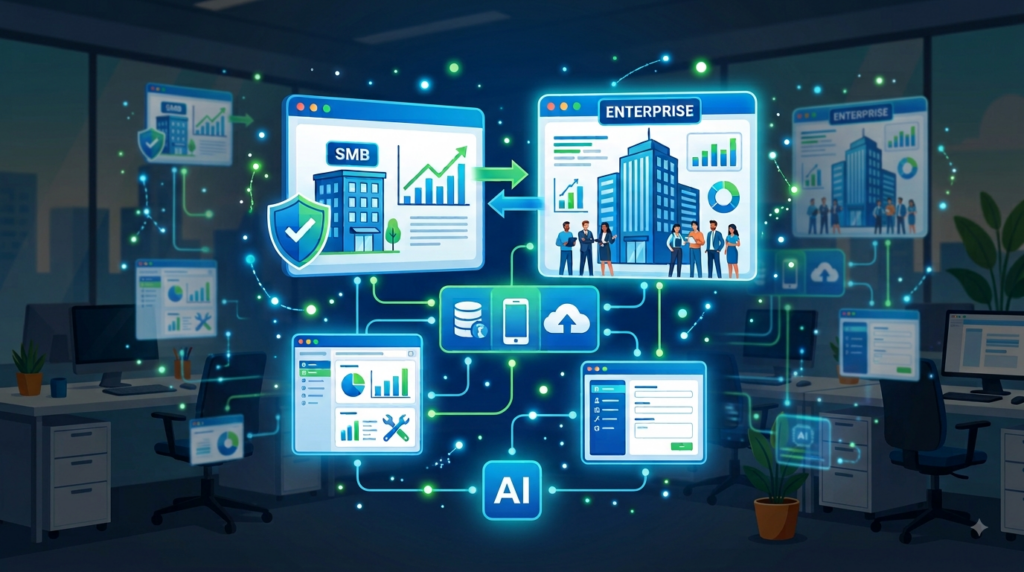
Power Apps development services can help SMBs and enterprises turn manual processes into connected, automated business applications without building every solution from scratch.
The strongest implementations go beyond creating attractive app screens. They combine business process analysis, Power Apps development, Dataverse architecture, Power Automate automation, integrations, security, governance, analytics, and—where appropriate—AI.
For SMBs, the priority should usually be solving high-value processes quickly and cost-effectively. For enterprises, the priority should be building scalable solutions with strong architecture, governance, security, integration, and lifecycle management.
The best Power Apps development partner is therefore the one that can understand your business problem, select the right Power Platform components, build a maintainable solution, and support it after launch.