Moving your organization to Microsoft 365 looks simple on a slide and turns out to be anything but in practice. Mailboxes, files, permissions, shared drives, Teams channels, workflows, compliance obligations, and, above all, people all have to land safely on the other side. Choose the right Microsoft 365 migration partner and the move becomes a quiet non-event. Choose the wrong one and you inherit broken permissions, missing version history, frustrated users, and a help desk buried in tickets.
The trouble is that the market is crowded and noisy. Search for an “office 365 migration company” and you will get software vendors selling a tool, resellers selling a license, and consultancies that have never run a migration at your scale, all claiming to be the same thing. This guide cuts through the noise. It explains what a migration partner actually does, the eight criteria that separate a safe pair of hands from a risky one, the questions to ask before you sign, the red flags worth walking away from, and what a realistic budget and timeline look like in 2026. It is written from the perspective of a team that has delivered Microsoft 365 migrations for more than 100 organizations and over 400,000 users, including in regulated industries where getting it wrong is not an option.
Do You Actually Need a Microsoft 365 Migration Partner?
Not every move needs outside help. If you run a 25-person company migrating a single email system, with no shared files, compliance requirements, or custom SharePoint, your internal IT lead can probably handle a cutover migration over a weekend using Microsoft’s native tools. The math changes quickly, though, once any of the following enters the picture:
- Scale. Hundreds or thousands of users, terabytes of data, or multiple sites and geographies.
- Complexity. Shared drives with tangled permissions, nested folder structures, SharePoint workflows, public folders, or third-party clouds like Box, Dropbox, or Google Workspace.
- Risk and compliance. Regulated data such as HIPAA, SOC 2, GDPR, or FDA/GxP, plus legal holds or retention obligations that make data loss or exposure a serious liability.
- Business continuity. You cannot afford downtime, broken links, or a two-week productivity dip while people relearn where their files live.
- Mergers and acquisitions. Consolidating two Microsoft 365 tenants, which is one of the most error-prone migrations there is.
A good migration consultant earns their fee not by moving data, since tools do that, but by protecting you from the preventable failures that turn a routine project into a crisis. If two or more of the factors above apply to you, a partner is almost always the cheaper option once you account for internal time, risk, and rework.
First, Understand the Migration You’re Buying For
Before you evaluate any vendor, get clear on the type of migration you need. The right partner for one is not automatically the right partner for another, and knowing the vocabulary will quickly tell you whether a salesperson actually understands your project.
- Cutover migration. Everything moves at once, usually over a short window. This suits smaller organizations with straightforward data.
- Staged or phased migration. Users and data move in batches. This suits mid-market and enterprise moves where a big-bang cutover is too risky.
- Hybrid migration. On-premises Exchange or SharePoint coexists with Microsoft 365 during a gradual transition, which is common for larger, security-conscious organizations.
- Tenant-to-tenant migration. Consolidating or splitting Microsoft 365 tenants, most often during tenant-to-tenant migrations for mergers and acquisitions. These carry the most identity, licensing, and coexistence complexity.
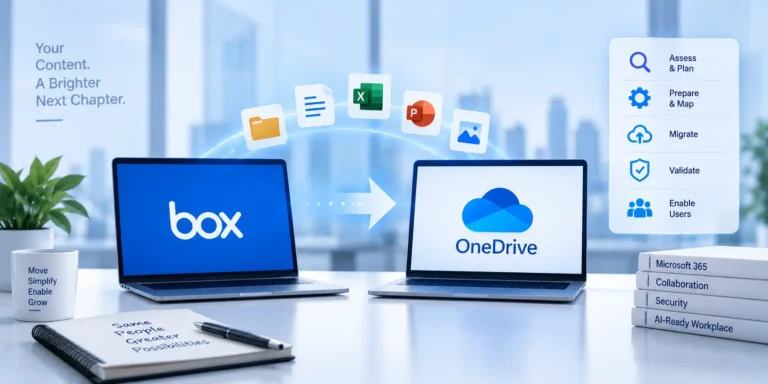
- Cross-platform migration. Moving from a competing cloud into Microsoft 365, for example a Box to OneDrive migration or a Google Workspace to Microsoft 365 move, where file fidelity and permission mapping are the hard part.
If a prospective partner cannot quickly tell you which of these applies to your environment and why, that is your first data point.
8 Criteria for Choosing a Microsoft 365 Migration Partner
Use these as your evaluation scorecard. The strongest Microsoft 365 migration services providers can demonstrate all eight, not just claim them.
1. A proven track record at your scale and complexity
Experience is not generic. A partner who has moved 50 mailboxes is not automatically ready for your 3,000-seat, multi-site, regulated environment. Ask for case studies and references that match your size, industry, and migration type. Look for specifics: how many users, which source and destination platforms, what went wrong, and how they handled it. A partner who is comfortable saying “here is a problem we hit and how we fixed it” is showing you real experience, the kind that only comes from having done this many times.
2. Genuine Microsoft partnership and FastTrack eligibility
Verify that the vendor is a recognized Microsoft partner with relevant solution designations, and confirm they can work with Microsoft FastTrack, the migration-assistance benefit available to eligible tenants at no additional cost. Partnership status is not just a badge. It signals access to Microsoft support channels, current product roadmaps, and deployment best practices. A partner who knows how to combine FastTrack with hands-on delivery can often save you money.
3. A real methodology, not just a tool
The best providers run a repeatable process, from assessment and plan through pilot, migration, validation, and support, rather than pointing a tool at your data and hoping. That process should start with discovery, which usually means a Microsoft 365 readiness assessment that inventories your data, maps permissions, flags risks, and defines success criteria before a single file moves. Ask to see their methodology written down. If they cannot articulate the phases, there is not one.
4. Security, compliance, and data governance
Your migration partner will have privileged access to your most sensitive data. Confirm their security posture, such as SOC 2 alignment, their handling of encryption in transit and at rest, and their experience with the specific regulations you operate under, whether that is HIPAA, GDPR, FDA/GxP, or financial-services requirements. Ask how they preserve legal holds, retention policies, and audit trails through the migration. For regulated organizations, this criterion alone can disqualify otherwise capable vendors.
5. Fidelity: permissions, metadata, and every content type
Moving files is easy. Moving them correctly is not. A capable partner preserves sharing permissions, folder structures, version history, timestamps, metadata, external shares, and in-line comments, and handles awkward content types like Box Notes, OneNote notebooks, large files, and legacy formats. Ask specifically how they validate that nothing was lost or altered. “It all came over” is not valid. A reconciliation report is.
6. Change management and user adoption
This is the criterion most vendors ignore, and the one that most often decides whether a migration is judged a success. Data can land perfectly and the project can still fail in the eyes of users who cannot find their files, do not trust Teams, or flood the help desk. Strong partners build in change management and user adoption: communications, training, champions, and a hypercare period after go-live. If a proposal is all technical and says nothing about people, keep looking.
7. Transparent pricing and realistic timelines
You should understand exactly what you are paying for and be given an honest timeline. Be wary of both extremes: a quote so low it can only be a self-service tool in disguise, and a vague “it depends” with no structure behind it. A credible partner will explain their pricing model, what is in and out of scope, and what could change the number. Realistic timelines come from experience, not optimism.
8. Post-migration support and knowledge transfer
The migration does not end at cutover. Look for a defined support window, often called hypercare, a plan to remediate issues that surface after go-live, and knowledge transfer so your team can operate the new environment with confidence. The best partners leave you more capable than they found you, not dependent on them for every change.
Questions to Ask Before You Sign
Bring this checklist to your shortlist conversations. The quality of a vendor’s answers, specific and confident versus vague and defensive, tells you almost everything
- Can you share two references from organizations of our size, industry, and migration type?
- What does your discovery and assessment phase include, and what deliverable do we get from it?
- How do you preserve permissions, metadata, version history, and external shares, and how do you prove nothing was lost?
- What is your rollback plan if something goes wrong mid-migration?
- How do you handle our specific compliance requirements, such as HIPAA, SOC 2, GDPR, or GxP?
- What does your change management and training approach look like?
- Who is actually on our project team, and what are their certifications and experience?
- What is your pricing model, what is out of scope, and what would change the price?
- What does post-go-live support include, and for how long?
- How will you communicate status, and how often?
Red Flags to Watch For
Some warning signs are worth walking away over:
- A tool masquerading as a partner. If the “service” is really self-service software with an invoice attached, you are buying a license, not expertise.
- No discovery phase. A partner who quotes a fixed price before understanding your environment is guessing, and you will pay for the surprises.
- No change management. Purely technical proposals ignore the leading cause of migration dissatisfaction.
- Vague references. Reluctance to provide relevant references is telling.
- No rollback or validation plan. Confidence is good. A safety net is better.
- Pressure and lock-in. Aggressive timelines, opaque contracts, or architectures that make you dependent on the vendor are all reasons to slow down.
Many of these map to the most common migration mistakes we see organizations make, and avoiding them is largely a matter of following Microsoft 365 migration best practices from day one.
How Much Does a Microsoft 365 Migration Cost?
There is no single sticker price, because cost is driven by scope. You can still compare quotes intelligently once you understand the models and the variables. Most partners price in one of these ways:
- Per-user. Simple and predictable, and common for email-centric moves.
- Per-gigabyte or per-workload. A better fit for data-heavy file and SharePoint migrations.
- Fixed-scope project fee. A defined statement of work with clear boundaries.
- Time and materials. Flexible for complex or evolving environments, though it asks for more trust and transparency on both sides.
The variables that move the number most are total users and data volume, the number of source platforms, the migration type (a tenant-to-tenant consolidation costs more than a simple email cutover), the complexity of permissions and custom SharePoint, compliance requirements, and how much change management and training you include. Two legitimate ways to save are worth raising with any vendor. Microsoft FastTrack can provide migration guidance at no extra cost for eligible tenants, and a migration is the ideal moment for Microsoft license optimization, since right-sizing licenses can offset a meaningful share of the project cost. When you compare quotes, normalize them first. Make sure each one includes discovery, validation, and post-go-live support, because the cheapest quote that leaves those out is rarely the cheapest project.
How Long Does a Microsoft 365 Migration Take?
Timelines scale with complexity, not just data volume. A small cutover can be done in days. A mid-market staged migration usually runs several weeks. A large, regulated, or multi-tenant program can span multiple months once you include discovery, pilot, phased waves, validation, and hypercare. Be skeptical of anyone who promises a large, complex migration “in a weekend.” The discovery phase exists precisely so the timeline reflects your reality rather than a hopeful default.
Special Considerations for Regulated Industries
If you operate in biotech, life sciences, healthcare, or financial services, your migration partner needs more than technical skill. They need fluency in your compliance world. That means preserving audit trails and retention through the move, maintaining legal holds, documenting the process for regulators, and working within validated or controlled environments where change control is mandatory. Ask pointed questions about their experience with organizations like yours. A partner who has repeatedly delivered in regulated settings will answer in specifics, while a generalist will answer in generalities. This is one area where paying for genuine, relevant experience is clearly worth it.
Migration Tools Are Not Migration Partners
It is worth stating plainly, because the search results blur the line. A migration tool such as ShareGate, AvePoint, BitTitan, or CloudFuze is software that moves data. A migration partner is a team that plans the project, handles the exceptions the tool cannot, preserves fidelity and compliance, guides your people through the change, and owns the outcome. The best partners are tool-agnostic. They use whichever tool fits your scenario, add their own scripts for the edge cases, and take responsibility for the result instead of handing you a license and a manual.
How TrnDigital Approaches Microsoft 365 Migration
At TrnDigital, a Microsoft 365 migration is a consulting engagement, not a software sale. We have delivered migrations for more than 100 organizations and over 400,000 users, including regulated biotech and life-sciences environments where data integrity and compliance are non-negotiable. Our approach pairs a structured methodology, covering assessment, planning, pilot, phased migration, validation, and hypercare, with a repository of proprietary tools and scripts for the scenarios standard tools cannot handle, and with the change management and user adoption work that makes the move stick. Whether you are consolidating tenants after an acquisition, moving off Box or Google Workspace, or modernizing an aging SharePoint estate, the goal stays the same: a migration your users barely notice and your auditors have no questions about.
What does a Microsoft 365 migration partner actually do?
A migration partner plans and executes your move to Microsoft 365 from end to end. That means assessing your current environment, mapping permissions and data, running the migration with the right tools, validating that nothing was lost, and supporting your users through the change. Unlike a tool vendor, a partner owns the outcome and handles the exceptions.
How do I verify a partner’s experience?
Ask for references and case studies that match your size, industry, and migration type, confirm their Microsoft partnership status, and ask specific questions about problems they have solved. Confident, specific answers point to real experience.
How much does a Microsoft 365 migration cost?
Cost depends on scope, including the number of users, data volume, source platforms, migration type, and compliance needs. It is usually priced per user, per gigabyte or workload, as a fixed-scope fee, or on a time-and-materials basis. Microsoft FastTrack may cover guidance for eligible tenants, and license optimization can offset part of the cost.
How long does a Microsoft 365 migration take?
It ranges from a few days for a small cutover to several weeks for a mid-market staged migration, and multiple months for large, regulated, or tenant-to-tenant programs. A proper discovery phase produces a timeline based on your actual environment.
Do small businesses need a migration partner?
Not always. A very small, simple email move may be manageable in-house. Once scale, complex permissions, third-party clouds, compliance, or business-continuity risk enter the picture, a partner usually reduces total cost and risk.
Choosing With Confidence
The right Microsoft 365 migration partner is the one who understands your specific migration, proves relevant experience, follows a real methodology, takes security and compliance seriously, preserves your data faithfully, guides your people through the change, prices transparently, and stands behind the result. Score your shortlist against the eight criteria above, ask the hard questions, and watch for the red flags. Do that, and your migration becomes what it should be: a quiet, well-run project that moves your organization forward. When you are ready to talk specifics, the Microsoft 365 migration consulting team at TrnDigital is happy to help you scope it.